
Booking software for personal trainers
Bookings, payments and programmes for personal trainers.
Train clients in person and online. Book them over WhatsApp, sell packs and write their training. No monthly fee, just 1% of online payments.
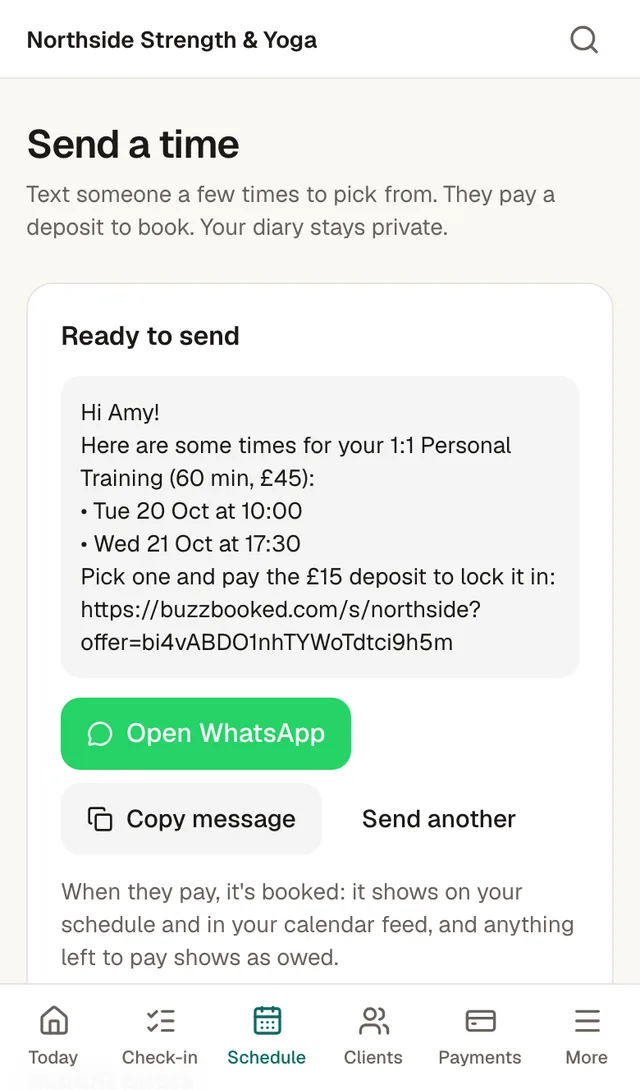
Book clients over WhatsApp
Pick one time or a few, add a deposit, and send it from WhatsApp. Your client picks a time and pays, and it goes in your diary. Your hours stay private.
Write programmes and log sessions
Write their week. Log the session as you coach. Their last time and best show as you type. Clients see their workouts, notes and personal bests.
Online clients too
Sell a monthly coaching plan, write their week and book check-in calls with your video link. Clients log the sessions they do on their own.
Sell packs and monthly plans
10-session packs with an expiry date, or a monthly plan with a set number of sessions. Unused sessions can carry over to next month, up to a limit you set.
Packs that top up on their card
Clients can tick "buy the next one automatically" at checkout. When their sessions run out, the next pack is charged to their saved card and they get an email. Not available with instalments.
Pay for a pack in instalments
Clients can pay for a pack in 2 to 6 monthly instalments. Every amount and date is shown before they pay.
Know who owes what
Pay later, cash and bank transfers sit next to card payments. Send a pay link in WhatsApp and the balance clears when they pay. Cash and bank transfers you record cost nothing.
Each client's history in one place
Every session, payment and change to their pack, with the reason. Clients see the same in their own account.
Log sessions booked in person
Log the session afterwards and it comes off their pack.
From WhatsApp and bank transfers to paid-up sessions
Keep booking over WhatsApp. Here is what happens after you send the message.
1. Send a time
Pick one time or a few, add a deposit and send it from WhatsApp. Your client has nothing to download and no account to make.
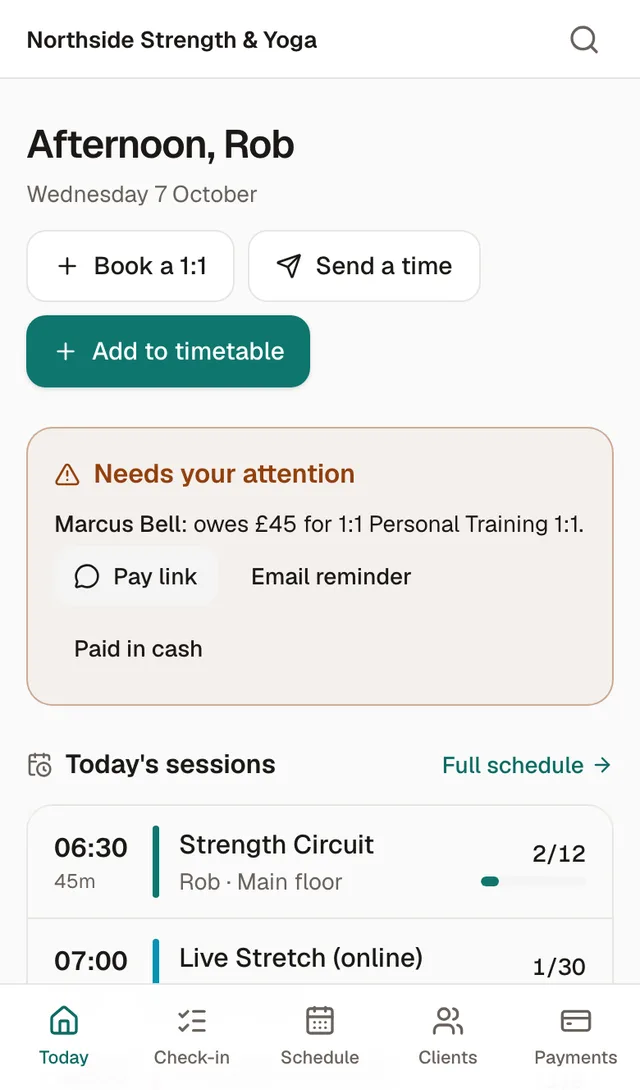
2. Send a pay link
When someone owes you, tap Pay link on the Today screen and send it. The balance clears when they pay. Cash and bank transfers take one tap to record.
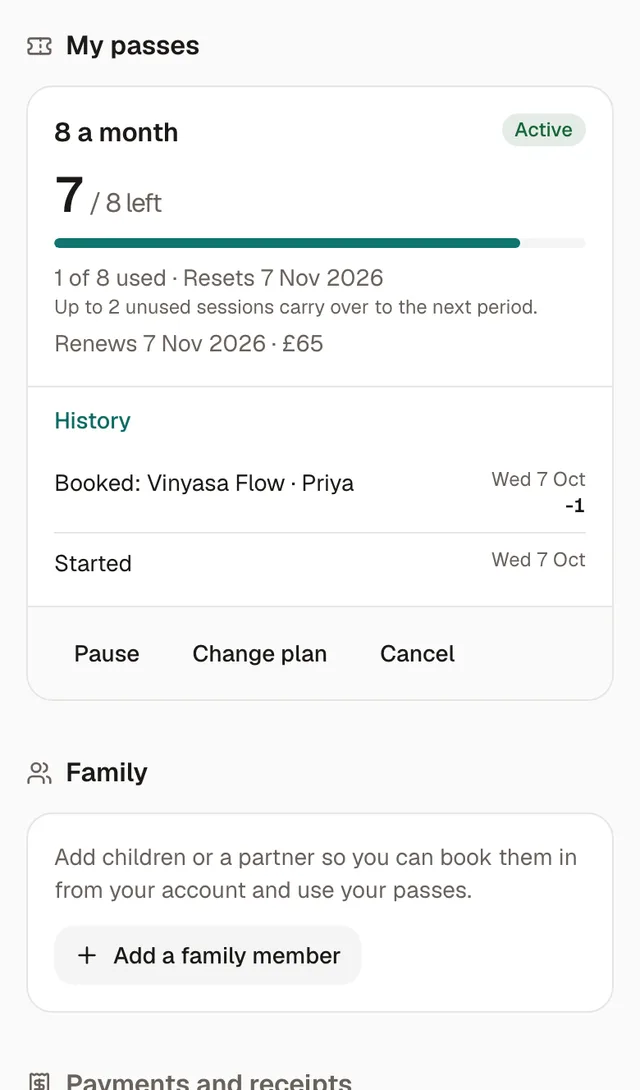
3. See sessions left
Each client's account shows how many sessions are left, the history behind it and when the plan renews.
How a PT's week runs on Coachfront
An example week. The prices and screens come from our demo booking page: a 60-minute 1:1 at £45, a £15 deposit to book, and 10 sessions for £400.
Monday
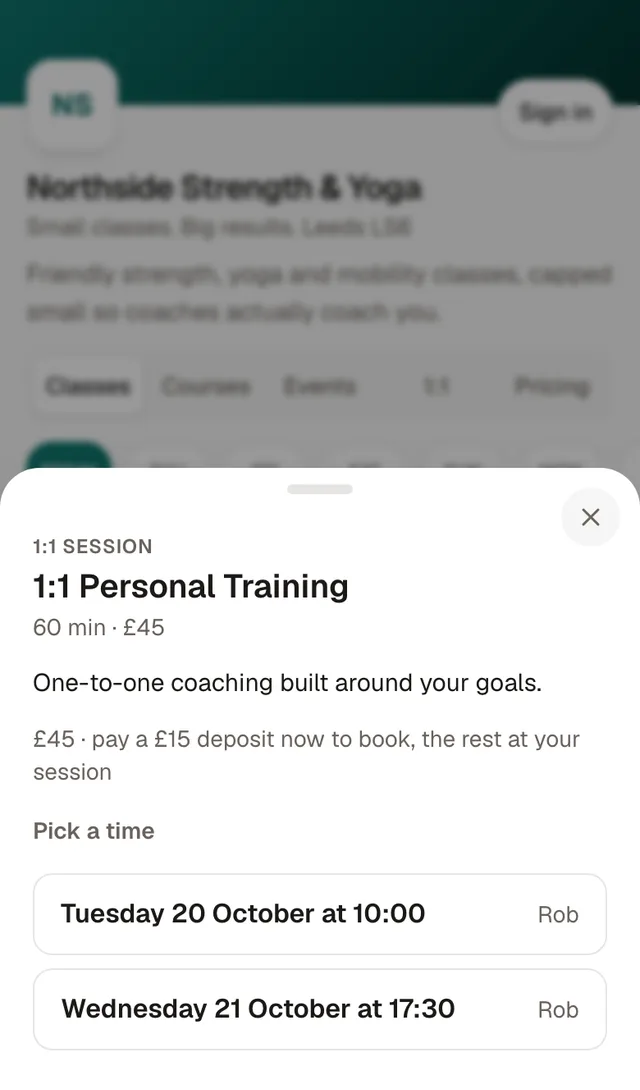
A new enquiry comes in on Instagram. You open Send a time, offer Tuesday 10:00 and Wednesday 17:30 with a £15 deposit, and tap Open WhatsApp.
Tuesday
Amy opens the link, picks Wednesday 17:30 and pays £15. The session is in your diary and your calendar feed, and the other £30 shows as owed.
Wednesday
Your Today screen shows Marcus owes £45 for a 1:1. Tap Pay link and send it, and it clears when he pays. If he hands you cash, tap Paid in cash. In his session you log each set as you coach, and his last time and best show as you type.
Thursday
Amy wants to keep going. She buys 10 sessions for £400. You've let that pack be paid monthly, so she pays 4 instalments of £100, with the dates shown before she pays.
Friday
Leah uses the last session of her £400 pack. She ticked automatic top-up when she bought it, so the next pack is charged to her saved card and she gets an email saying so.
Saturday
A client on an 8-a-month plan wants to know what's left. She opens her account: 7 of 8 left, up to 2 unused sessions carry over, and every change is listed.
Sunday
What it cost you: 1% of what clients paid online, so 15p on Amy's deposit, £1 on her first instalment and £4 on Leah's top-up: £5.15 in all, plus Stripe's card fee. Marcus paid cash, so that cost nothing.
Questions
What should a PT look for in booking software?
Booking links you can send over WhatsApp, packs that count down, pay links for anything owed, and somewhere to write their programmes.
Can clients book themselves too?
Yes. Add your working hours and clients can pick a free slot, with gaps between sessions and minimum notice. Or leave hours blank and only you book them in.